Introduce your pets
Add your pets in "My animals". Each one gets a profile, with their photos and description.
If a responder finds you unable to get home, they can alert your contacts so your pet, left alone at home, is taken care of. Set up their card in "My animals", then add it to Apple Wallet or Google Wallet.
In the Animalert app, on iPhone and Android


Add your pets in "My animals". Each one gets a profile, with their photos and description.
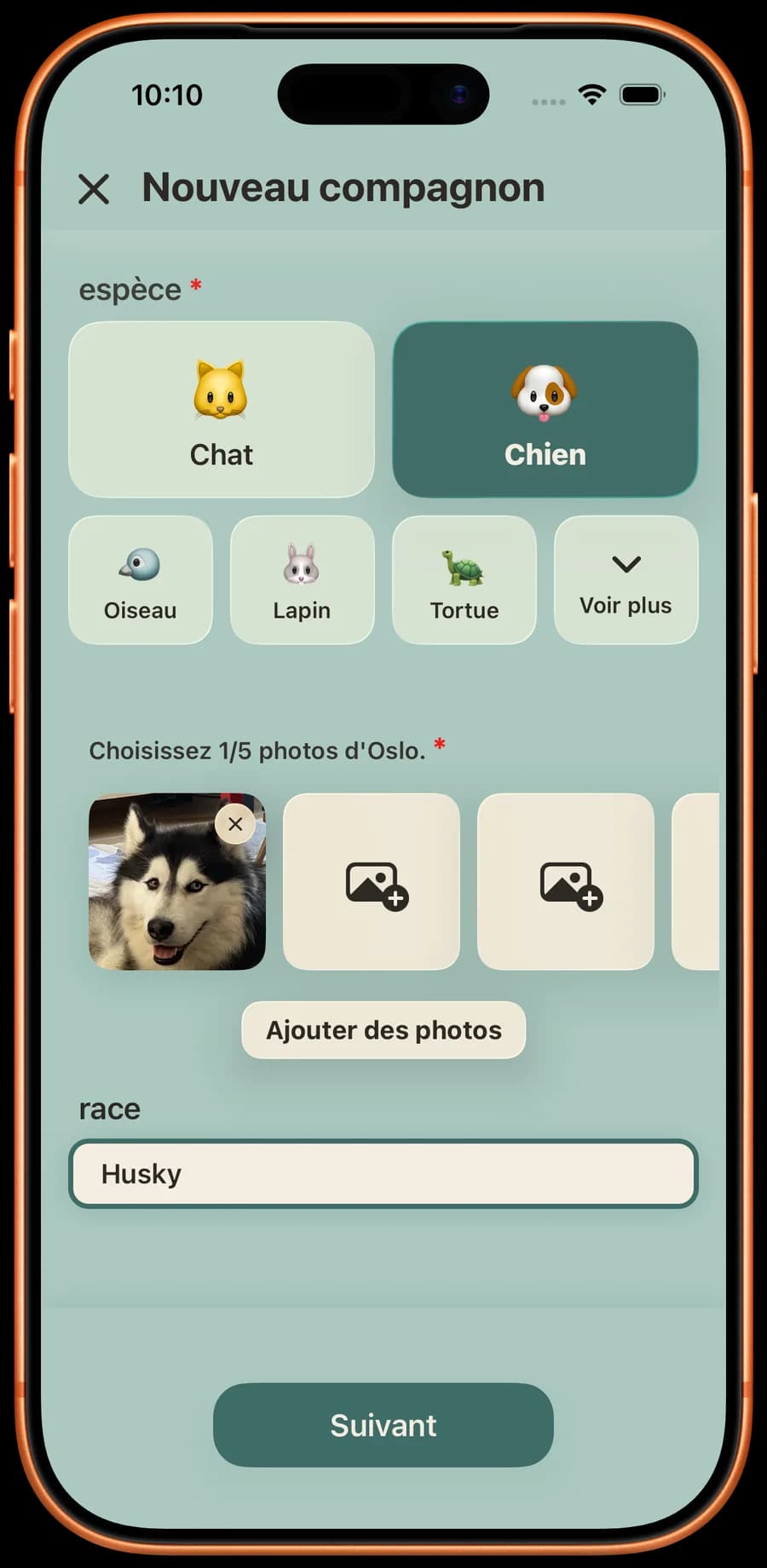
Identity, traits, details, description. Their microchip number and vet stay on their profile. They are never published in an alert.
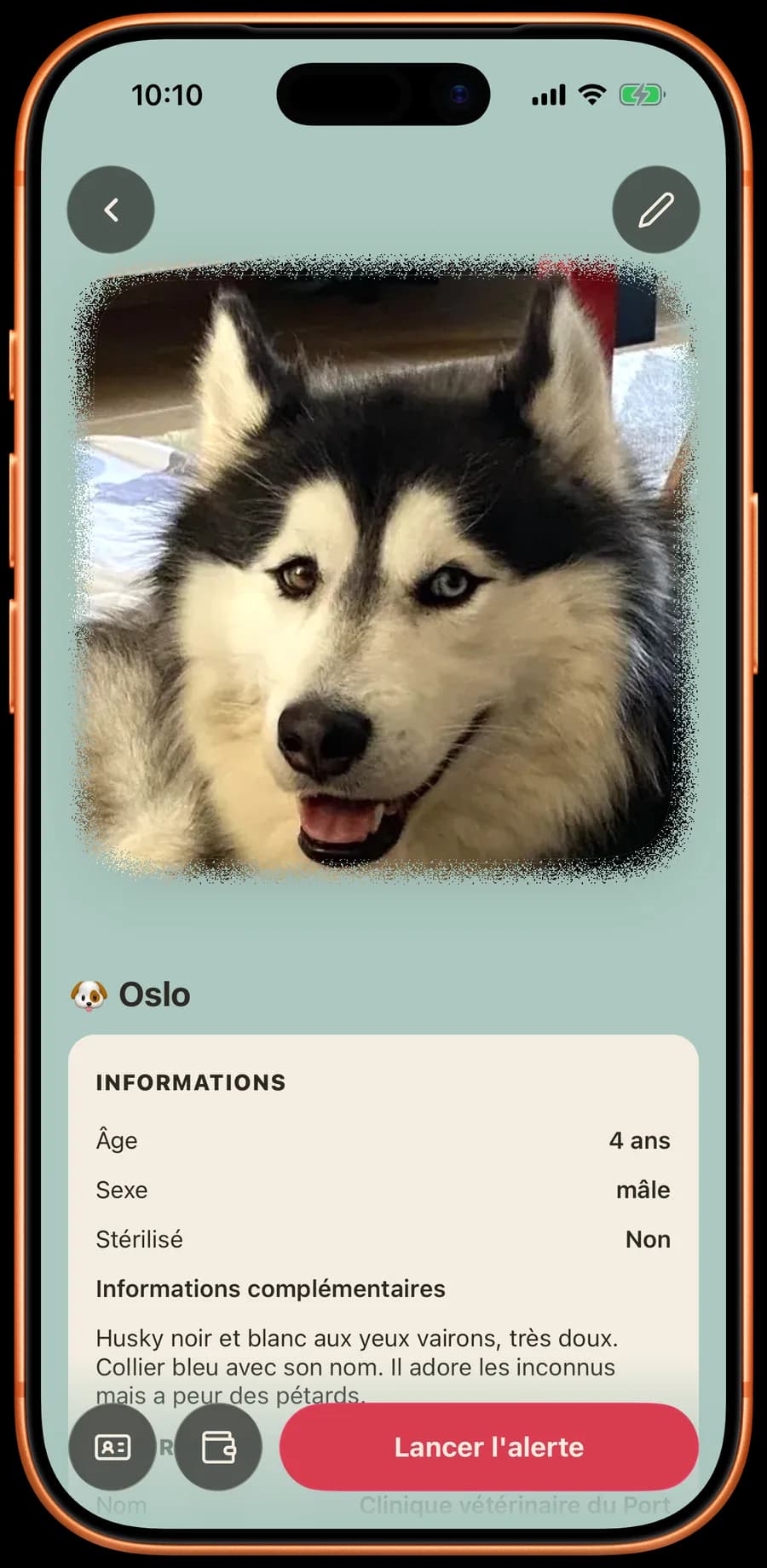
Their profile is checked in advance. The day they go missing, "Launch the alert" is right on their profile.
An accident, a stay in hospital: you cannot get home, and your pet is waiting. The emergency card tells whoever is helping you who to call to look after them.
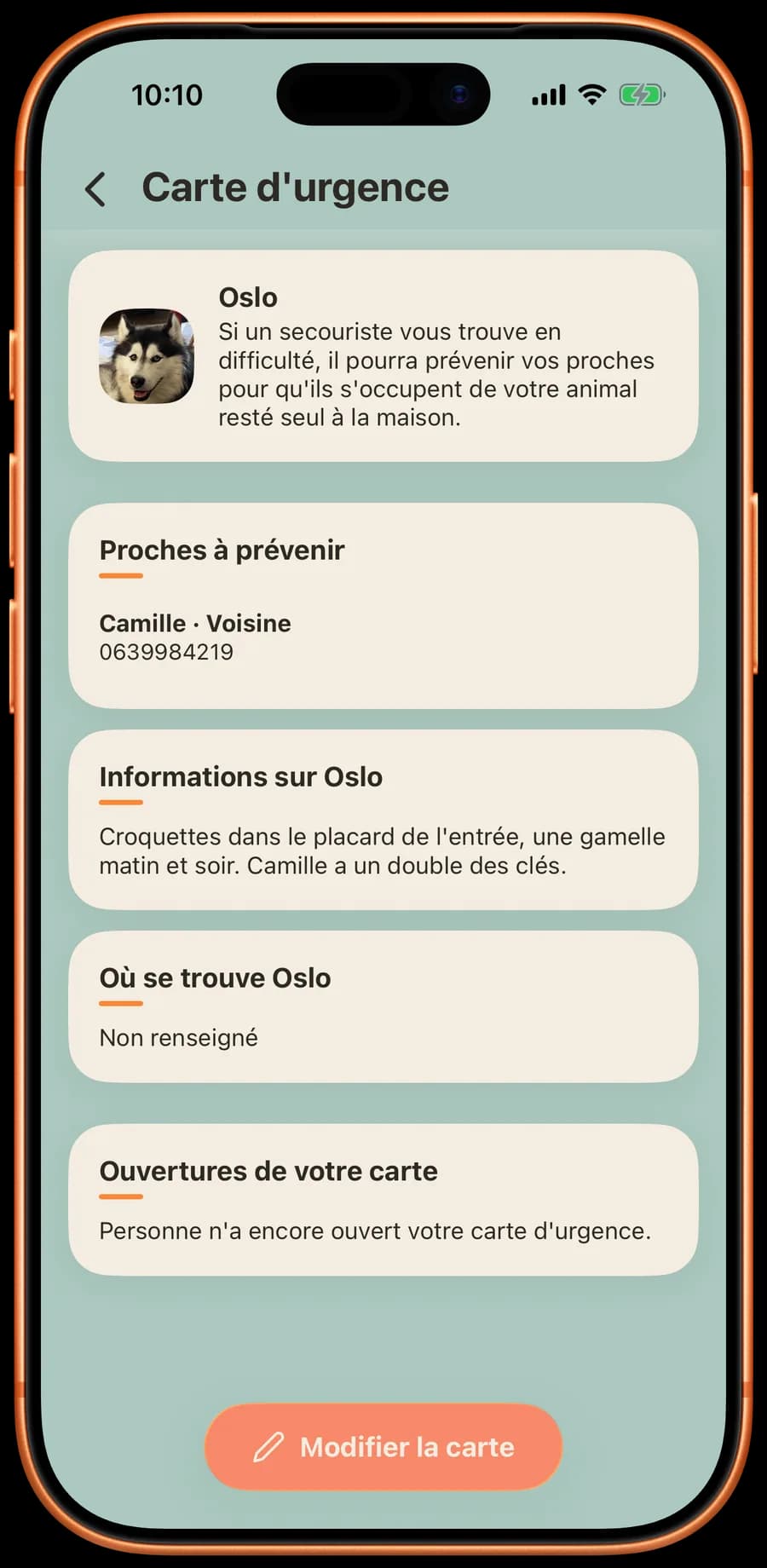
If a responder finds you in difficulty, they can alert your contacts. The card shows the people to call, what to know about their care, and their vet.
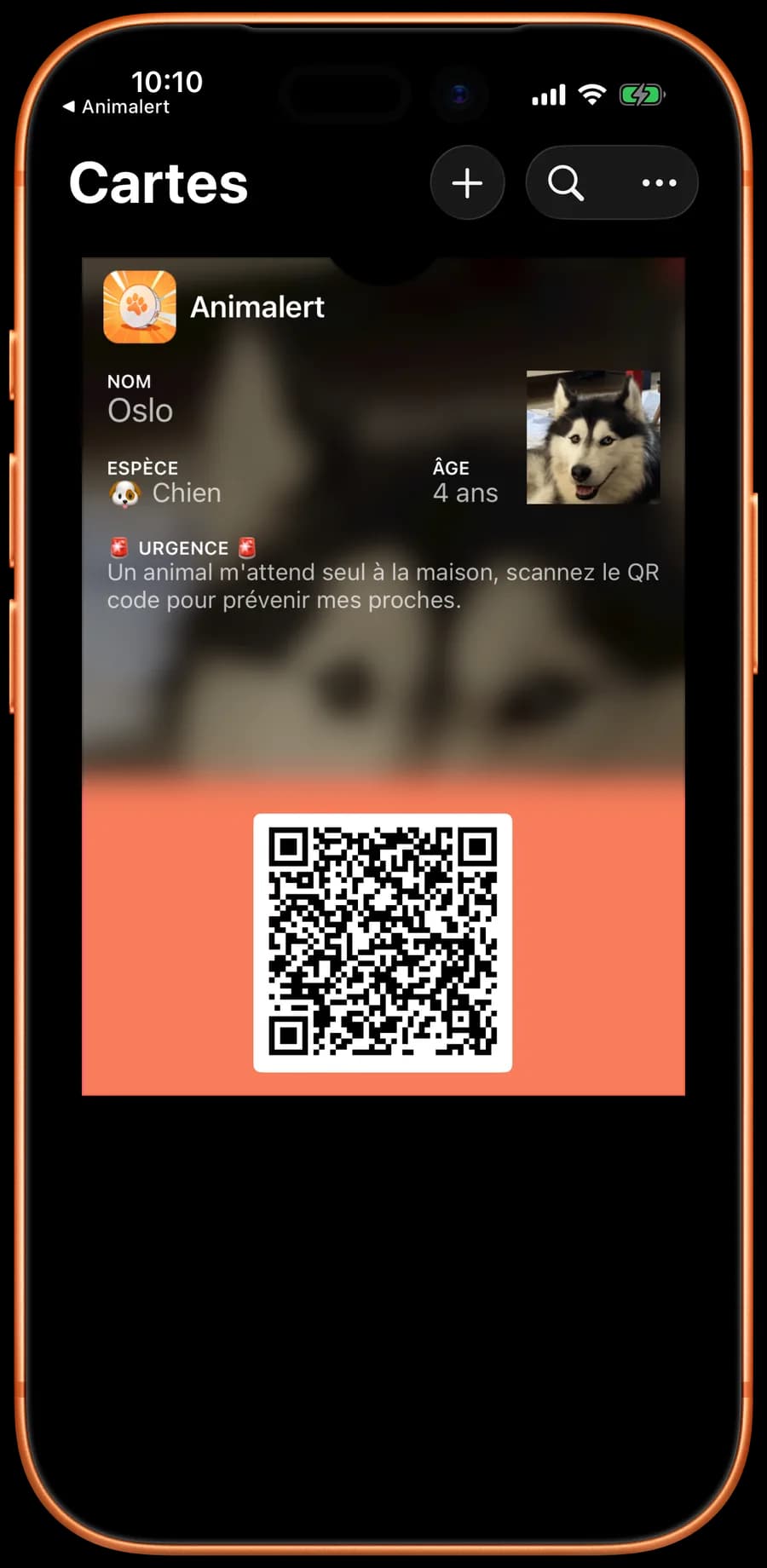
Add their card to Apple Wallet or Google Wallet. The pass shows their name, "A pet is home alone waiting for me" and a QR code. Your contacts are not on it: they appear once the card is opened in the app.
Pick the people to call, with their name, phone and how you know them. Add what to know about your pet: care, medication, where the food is. Say where they are if you wish: that place only shows on the card if you switch it on.
The person who scans the QR code opens the card in the Animalert app, where they can call or text your contacts. They can also leave you a message. You see when your card was opened, and the message left.
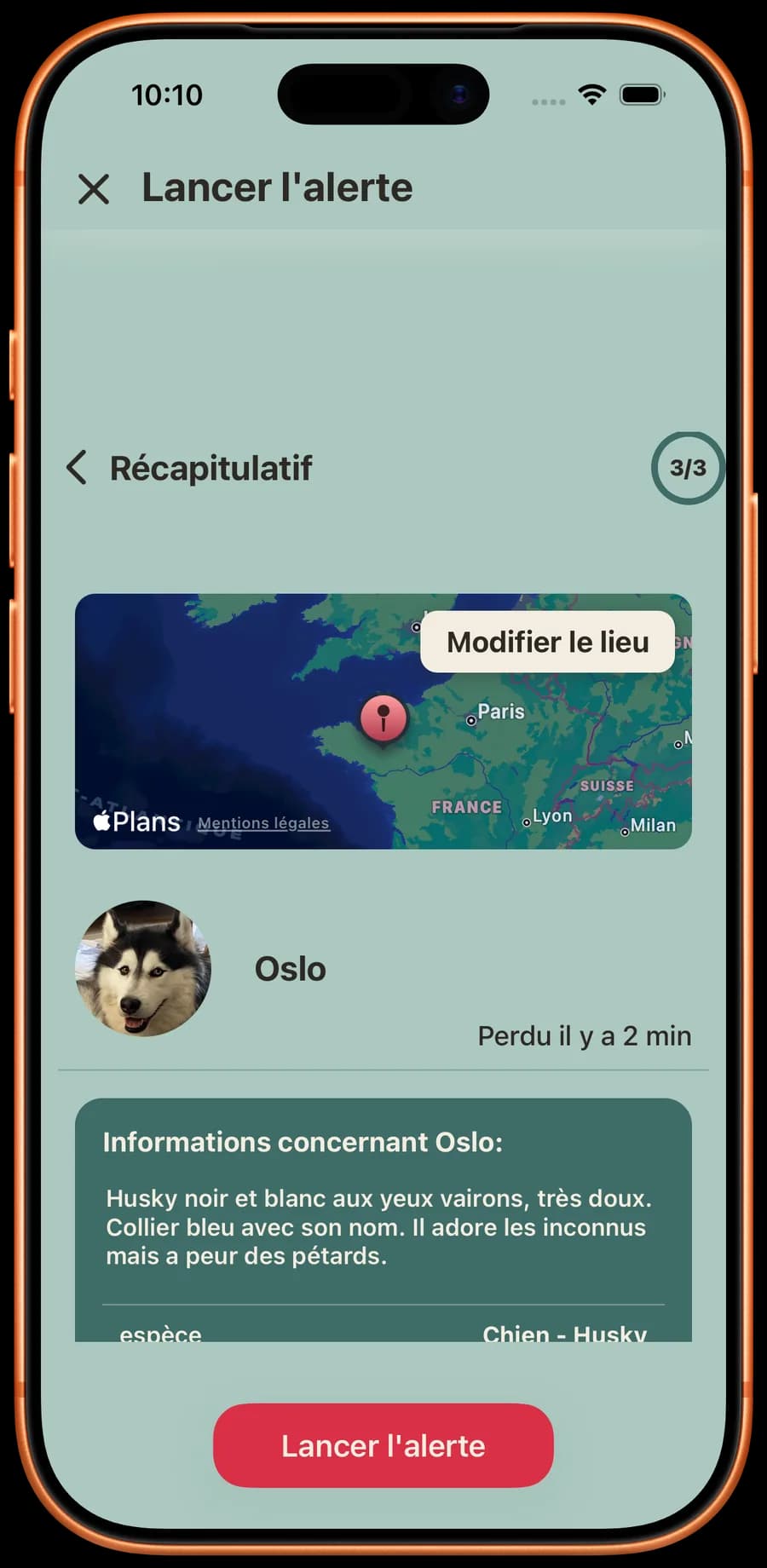
Say where and when they were last seen. The rest of their alert is already filled in from their profile.
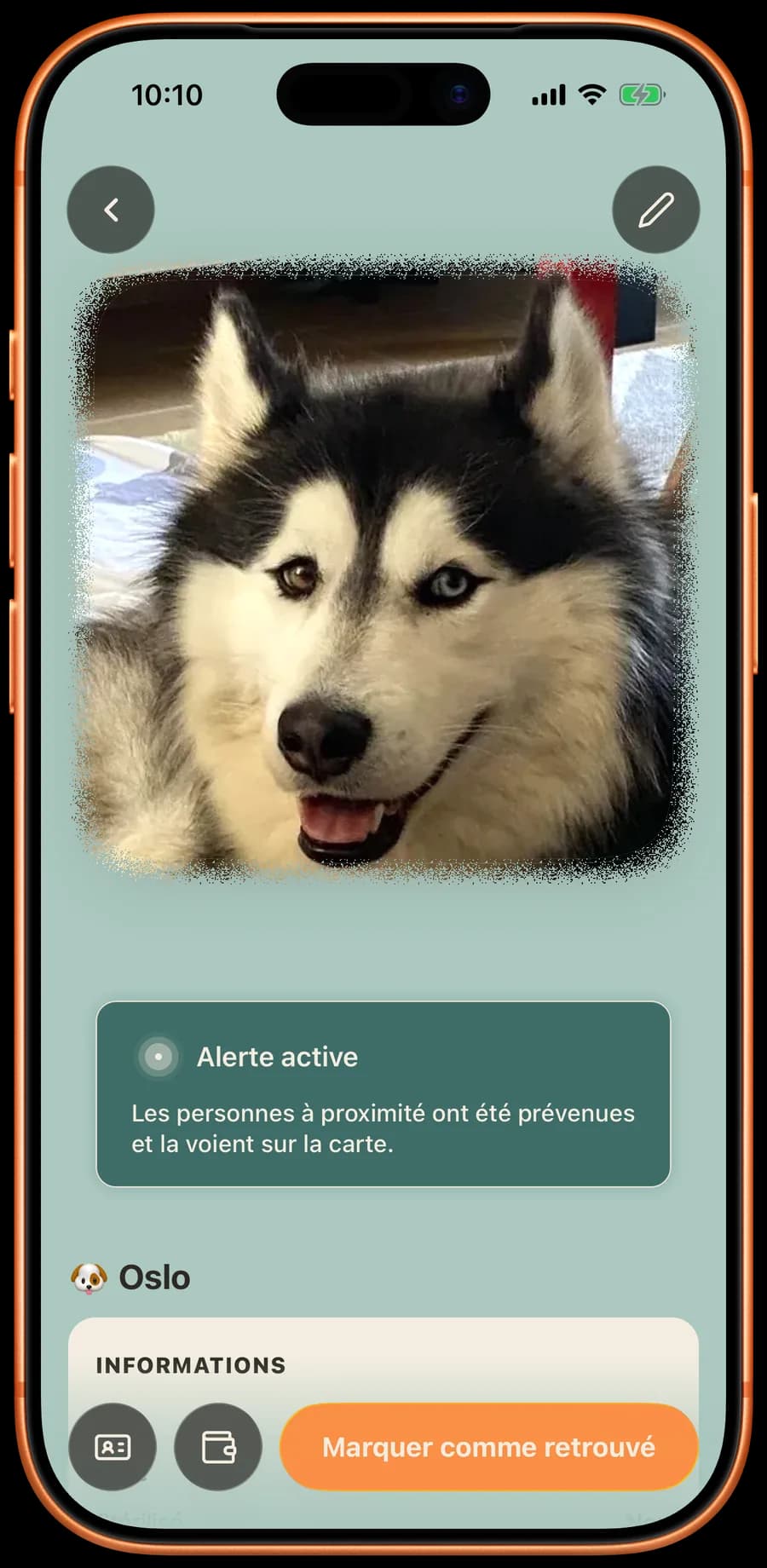
People nearby are notified and see their alert on the map. Their alert stays visible while the search goes on: you can extend it from their profile.
Everything the app does for a lost pet: Lost pet: post their alert
In the Animalert app, on iPhone and Android
Your pet's name and photo, the people to call, what to know about their care, and their vet. They open it in the Animalert app. The pass in your Wallet shows neither your contacts nor their numbers.
Only if you choose. Where your pet is stays off the card until you switch on showing that place on the emergency card.
No. It is for when you are the one who cannot get home. If your pet goes missing, tap "Launch the alert" on their profile: people nearby are notified.
Yes, like the whole app. Animalert is run by a French non-profit association: there are no paid options.
Yes. On Android it goes into Google Wallet, on iPhone into Apple Wallet.
No, they receive no message. Their name and phone number only appear when someone opens the card in the Animalert app. You then see that it was opened.
Yes. Each animal in "My animals" has its own card. For each one, you pick the people to call from the ones you have saved.